Instant OCR Detection
Windows built-in OCR captures text from any part of your screen in milliseconds — no internet required for text detection.
Real-time screen translation overlay for Windows. Perfect for gaming, reading, and more.
Free to try
Windows built-in OCR captures text from any part of your screen in milliseconds — no internet required for text detection.
Choose from Cloud Default, Gemini, OpenAI, DeepL, or Ollama. Switch engines anytime to fit your needs and budget.
English, Japanese, Chinese (Simplified & Traditional), Korean, French, German, Spanish, Italian, Czech, Polish, Portuguese, Russian, Turkish, Vietnamese, Thai, Indonesian, and Romanian.
Send screenshots directly to AI for context-aware translations — ideal for complex layouts, stylized fonts, or low-contrast text.
Already have a Gemini, OpenAI, or DeepL API key? Plug it in for unlimited translations at your own API cost.
Translate completely offline with no API costs using locally running AI models via Ollama. Your data never leaves your machine.
Trigger translation from any app with a global hotkey — including gamepad button support so you never have to leave your game.
See translations as a transparent overlay on top of your game or app, or pop them out into a separate dedicated window.
From zero-setup cloud to fully offline — there is an option for every workflow.
| Engine | Type | Cost | Features |
|---|---|---|---|
| Cloud Default | Cloud | Credits (pay-per-use) | Ready instantly, no setup needed |
| Gemini (BYOK) | Cloud / BYOK | Your API key | High quality, fast, very affordable |
| OpenAI (BYOK) | Cloud / BYOK | Your API key | Excellent contextual accuracy |
| DeepL (BYOK) | Cloud / BYOK | Your API key | Industry-leading natural phrasing |
| Ollama (Local) | Local / Offline | Free | Completely offline, full privacy |
Drag the Translation Lens overlay over the text you want to translate — any part of any window on your screen.
Press your hotkey, click the Translate button, or enable auto-translate to continuously detect and translate text as it changes.
Translations appear instantly in the overlay or a separate result window — without interrupting what you were doing.

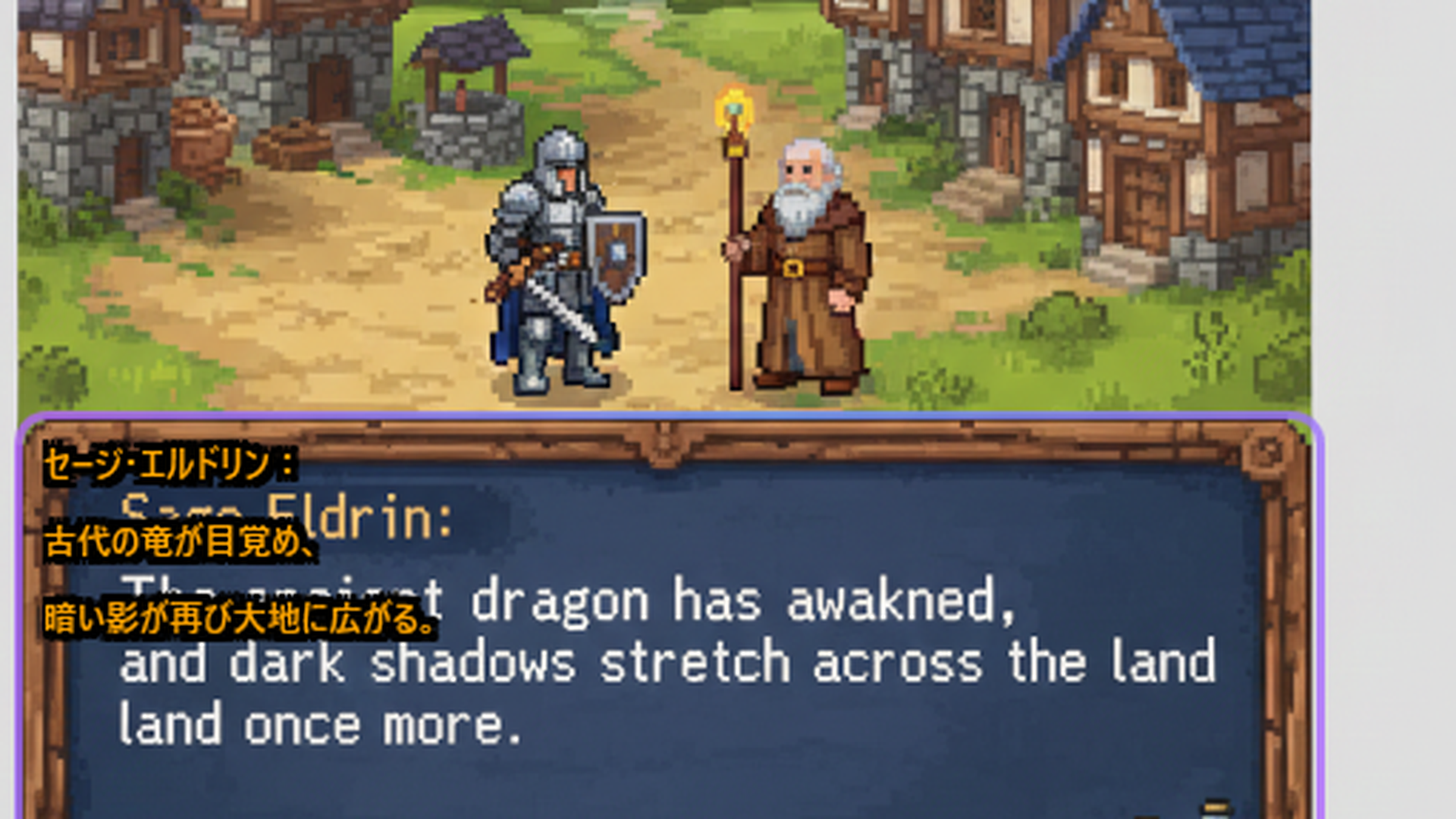



Playing untranslated Japanese, Chinese, or Korean games
Reading foreign language content on screen
Enjoying indie games from around the world
Any text in 18 supported languages
Translation Lens is a Windows overlay app that uses OCR to read text from your screen and translates it in real time. You position the window over any text — in a game, PDF, browser, or any app — and get an instant translation.
You start with 20 free translations using the Cloud Default engine. After that, you can purchase translation credit packs, or switch to BYOK mode with your own API key, or use Ollama for completely free offline translation.
Translation Lens supports 18 languages: English, Japanese, Chinese (Simplified & Traditional), Korean, French, German, Spanish, Italian, Czech, Polish, Portuguese, Russian, Turkish, Vietnamese, Thai, Indonesian, and Romanian.
If you already have an API key from Gemini, OpenAI, or DeepL, you can enter it in Settings. Translation Lens will then use your key directly — no credit packs needed. You pay only your API provider's standard rates.
Yes — with Ollama. Install Ollama, download a compatible language model, and Translation Lens will translate entirely on your local machine with no internet connection and no API fees.
OCR runs locally on your device using Windows built-in APIs — no screen data is sent anywhere for text detection. When using cloud translation engines, only the extracted text (not screenshots) is sent to the translation API.
Windows 10 (build 19041 or later) or Windows 11. To recognize text in your source language, you may need to install the corresponding Windows language pack via Settings > Time & Language > Language & Region.
20 free translations included — no sign-up required.